
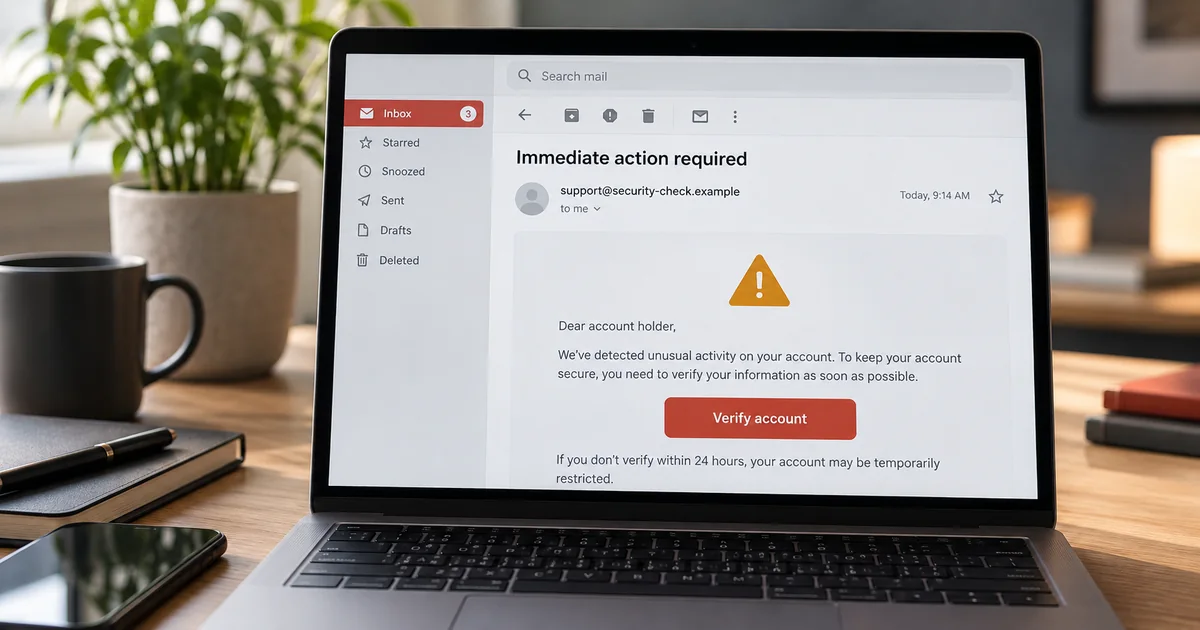
You open your inbox and there it is: an urgent message from your bank, or Amazon, or a company you barely remember. It says your account will be closed, or a payment failed, or you won something. Your heart jumps a little — and that is exactly what the scammer is counting on.
After helping people with their computers since 2003, I can tell you this: real companies almost never email you in a panic. Scammers do. Here are five red flags to check before you click anything.
1. It rushes you
“Act now!” “Your account closes in 24 hours!” “Immediate action required!”
Urgency is the scammer’s favorite tool. Now, real banks do sometimes send genuine security alerts — so don’t assume every urgent message is fake. The difference is how you check: never use the link or phone number inside the message. Close the email, then go to your bank’s real website or app yourself, or call the number on the back of your card. If there’s a real problem, it will be waiting for you there.
2. The sender doesn’t quite match
The email might say it’s from your bank, but look closely at the sender’s address. It could be something like support@bank-security.example instead of your bank’s real address, or a name you trust paired with an address you don’t. If the two don’t match, don’t trust it.
3. It wants you to click a link or open an attachment
This is how most scams work. The link looks real, but it leads to a fake login page designed to steal your password. The attachment can install malware. If you weren’t expecting it, don’t click it — go to the company’s real website yourself, or call the number on the back of your card.
4. It asks for money in a strange way
Gift cards. Wire transfers. Cryptocurrency. A real company will never ask you to pay a bill, a fine, or a “security fee” with gift cards. If payment by gift card is involved, it is a scam — every time.
5. It’s too good to be true
You won a prize you never entered. A long-lost relative left you money. A refund is waiting, but only if you act today. If it sounds too good to be true, it is.
What to do if you already clicked
Don’t panic, and don’t enter any more information. Close the page, run a virus scan if you can, and change your password from a device you trust, using the company’s real website — not from a link in the email. If you entered payment details, call your bank right away. And if your computer starts acting strange afterward, that’s a job for virus removal before it gets worse.
When in doubt, get it checked properly
Don’t forward a suspicious email to family or friends — that just passes the bad links and attachments on to them. If you want another set of eyes, have someone you trust look at it with you on your own screen. And if you’d like a professional to go through it with you and check your computer for signs of trouble, that’s exactly what an email support appointment is for. We can look at it together, and it can save you a world of trouble.
Need help with a suspicious email, a slow computer, or anything else? Book a one-on-one remote session with me at Bulldog Remote Support — $59 flat-rate remote computer support, paid when you book. No Fix, No Charge: if I can’t resolve your original computer problem remotely, you get your $59 back. If the same issue returns within seven days of your completed repair, contact me for complimentary follow-up troubleshooting. Prefer to talk it over first? Call (734) 433-1090. I work directly with you — no call center, no jargon, just friendly help from home.